After subscribing to X Premium+, getting started with Grok AI is straightforward. Since it’s built directly into the X platform (formerly Twitter), there’s no need to download or install any additional apps. Follow the step-by-step guide below to start using Grok AI effectively.
Grok AI: The Chatbot That Thinks Like a Human
Grok AI is an advanced AI assistant built by xAI that leverages real-time web and X data to produce context-aware, multimodal responses. Beyond conversational chat, it operates as an end-to-end intelligence workspace featuring multi-agent reasoning, full image and video generation, autonomous coding environments, and live voice interactions designed to continuously push the limits of human-AI collaboration
What is Grok AI?
Grok AI is xAI’s most advanced chatbot ecosystem, created by Elon Musk as a direct competitor to ChatGPT. While it maintains its signature real-time data integration from X and bold personality, Grok has evolved far beyond a conversational chatbot into an agentic power-platform. Powered by advanced frontier models like Grok 4.6, it combines deep reasoning with native multimodal creation—including real-time voice, image, and video generation—alongside always-on autonomous coding agents built to execute complex, multi-step workflows.
How much does Grok AI cost?
The pricing structure for Grok AI (by xAI) is:
A free tier exists, providing basic access to models like Grok 4 Mini via a weekly usage pool.
The standard paid individual tier, “SuperGrok,” is priced at US $30 monthly (or $300 annually) for full model access, multimodal capabilities, and expanded usage limits. Intermediate options like “SuperGrok Lite” ($10/month) and social bundles like X Premium ($8/month) also exist.
The highest individual power-user tier, “SuperGrok Heavy,” is priced at US $300 per month and includes guaranteed access to flagship models, multi-agent reasoning, and maximum usage allowances.
Developer access via the xAI API is metered per million input and output tokens, ranging from lighter fast models up to flagship models like Grok 4.6.
How to Use Grok AI?
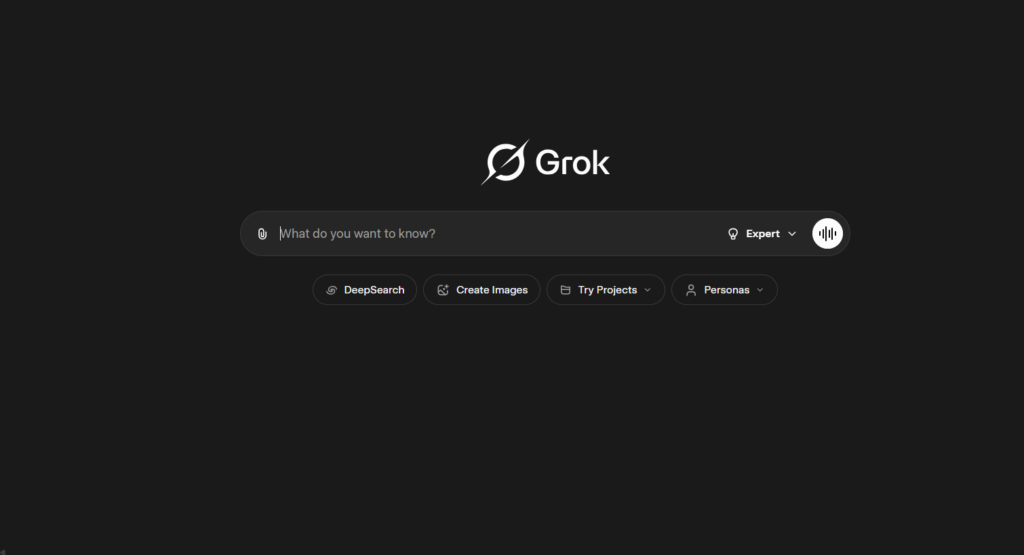
To use Grok AI, you no longer rely solely on an X (formerly Twitter) subscription. You can access Grok directly through its standalone website (grok.com) or dedicated mobile apps (iOS and Android), as well as via integrated tabs inside X. While free tiers exist across these platforms, subscribing to plans like SuperGrok or X Premium unlocks advanced reasoning models, real-time data features, and media generation capabilities.
How to Subscribe to Grok AI?
The updated process for signing up for and accessing Grok AI is direct and accessible across multiple entry points:
Access the Platform -> Go directly to
grok.com, open the standalone Grok mobile app (iOS/Android), or open X (formerly Twitter).Account Setup -> Sign in using your existing X credentials, a Google account, or create an account with a standard email.
Choose a Plan -> Select your preferred tier: a free tier is available, or you can subscribe to standalone “SuperGrok” / “SuperGrok Heavy” plans or access Grok through X Premium subscriptions.
Complete Setup -> Process payment if choosing a paid plan, or jump straight in if using the free tier.
Start Using Grok -> Chat with Grok via
grok.com, dedicated mobile apps, or by clicking the Grok icon on X.
Notice: Regional availability and specific feature rollouts still apply depending on your location.
How to Use Grok AI Once Subscribed?
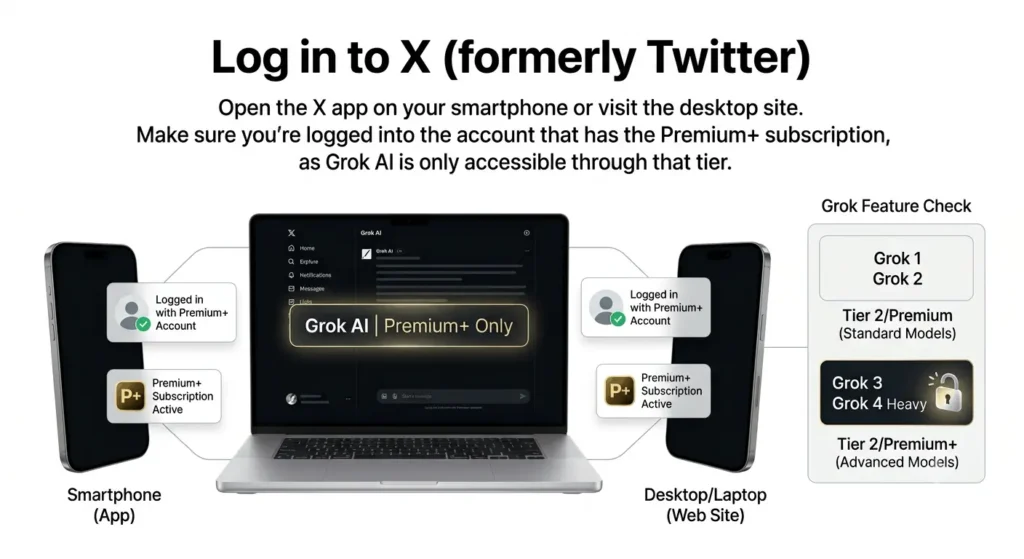
1. Log in to X (formerly Twitter)
Open the X app on your smartphone or visit the desktop site. Make sure you’re logged into the account that has the Premium+ subscription, as Grok AI is only accessible through that tier.
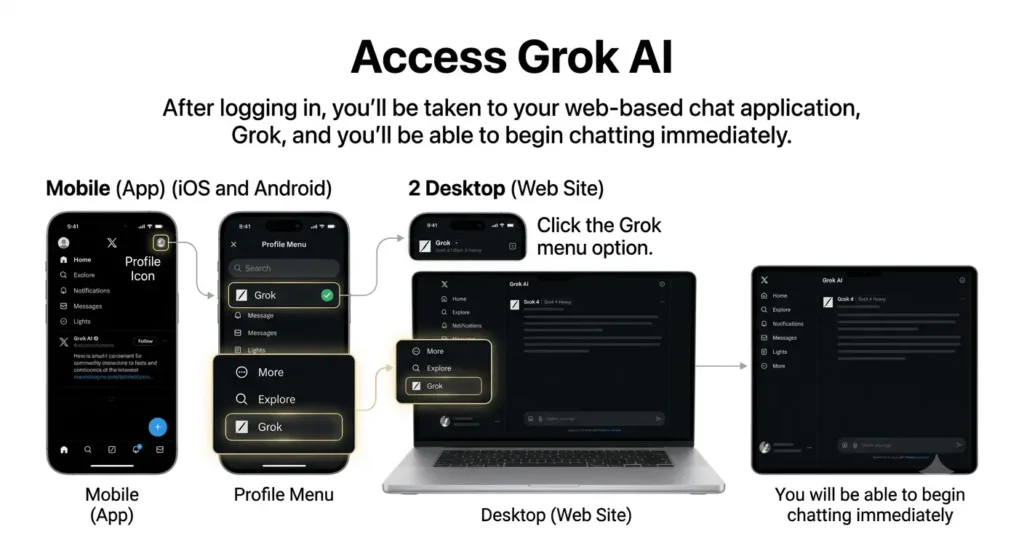
2. Access Grok AI
After logging in:
1. When you are on mobile, click the Profile icon and then search for “Grok” in the menu. “Grok” option on the menu.
2. On your desktop, you’ll find Grok under the “More” or “Explore” sections on the left-hand sidebar.
You’ll be taken to your web-based chat application, Grok, and you’ll be able to begin chatting immediately.
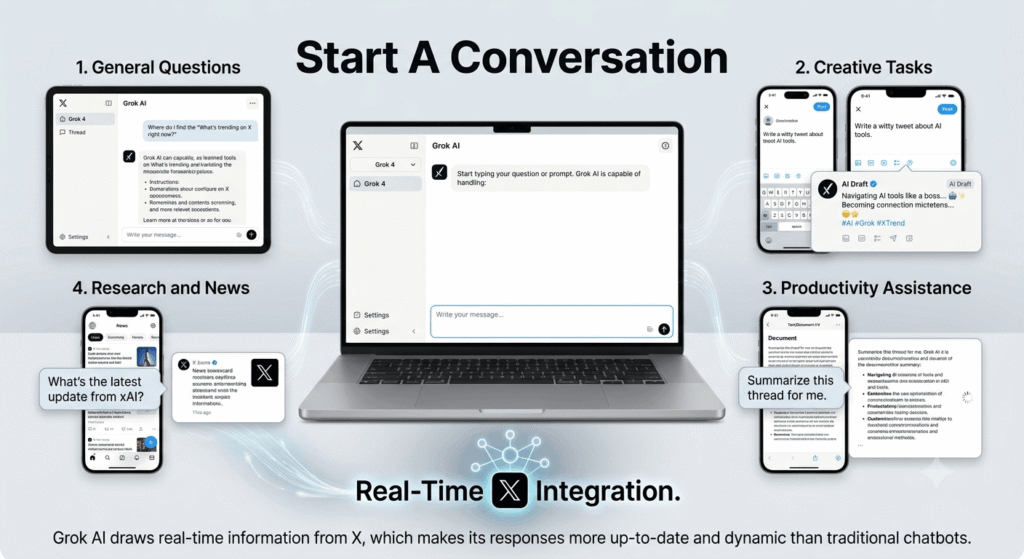
3. Start a Conversation
Start typing your question or prompt. Grok AI is capable of handling:
1. Questions for general use: “Where do I find the ‘What’s trending on X right now?”
2. Creative tasks: “Write a tweet about AI tools. “Write a witty tweet about AI tools.”
3. Productivity assistance: Help with Productivity. “Summarize this thread for me.”
4. Research and news“xAI” “What’s the latest update from xAI?”
Grok AI draws real-time information from X, which makes its responses more up-to-date and dynamic than traditional chatbots.
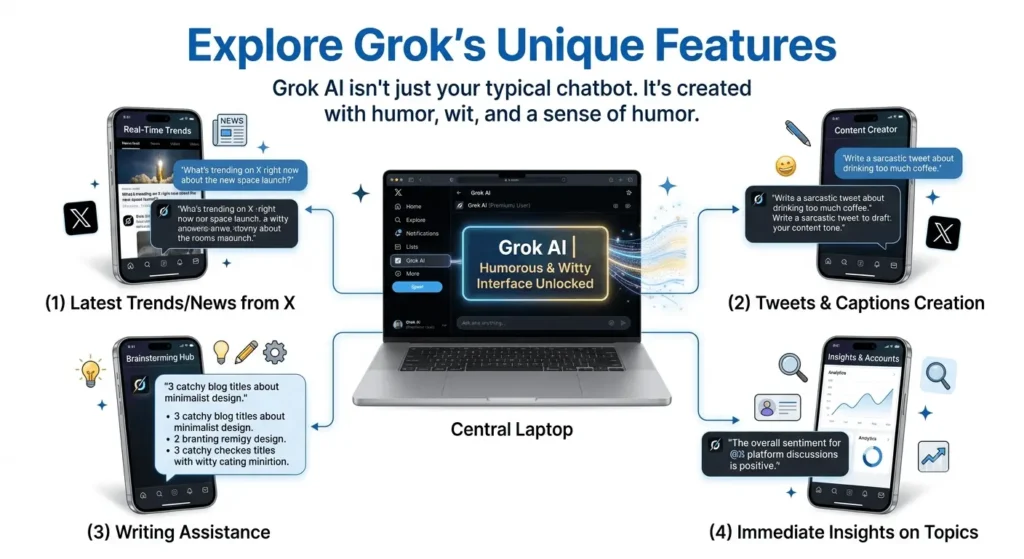
4. Explore Grok’s Unique Features
Grok AI isn’t just your typical chatbot. It’s created with humor, wit, and a sense of humor. You can:
1. Discuss the latest trending topics as well as the latest news from X.
2. Create Tweets, responses, and captions with your own tone.
3. Please make use of it for the process of brainstorming, writing assistance, or even content creation.
4. Receive immediate insights on topics, accounts, or even discussions.
5. Use Grok Responsibly
Although Grok AI is mighty, it’s essential to remember:
1. It can occasionally trigger hilarious or sarcastic comments, which is part of its charm.
2. Avoid using it for sensitive or private data queries.
3. Always confirm important information with official sources whenever you can use real-time information.
Key Benefits for Grok AI Subscribers
Below are the key benefits that make subscribing to Grok AI truly worth it:
Real-Time Accuracy
Accesses live data and breaking events as they happen on X and the web, providing current information instead of relying only on static knowledge.
Deep Reasoning Capabilities
Uses high-level reasoning modes such as "Think" to tackle complex mathematics, multi-step logic, advanced problem-solving, and coding challenges.
Hands-On Agentic Productivity
Features build-and-automate tools such as Grok Build and Grok Bot that can write code, debug projects, and handle multi-step workflows.
Multimodal Versatility
Understands complex visual documents and charts alongside text, while supporting multi-reference visual creation and high-fidelity video generation.
Direct & Adaptive Experience
Provides direct, conversational responses with an adaptive interaction style and natural voice capabilities designed for fast, fluid conversations.
Connected AI Experience
Brings together real-time information, reasoning, coding, visual understanding, content creation, and conversational capabilities in one AI experience.
Pro Tip: Use Grok AI alongside X Analytics to analyze post performance and engagement patterns. This combination helps you create data-backed content and more innovative marketing campaigns.
Grok AI vs. X Premium Plus
| Feature | X Premium Plus | SuperGrok (Dedicated Grok AI) | Notes |
|---|---|---|---|
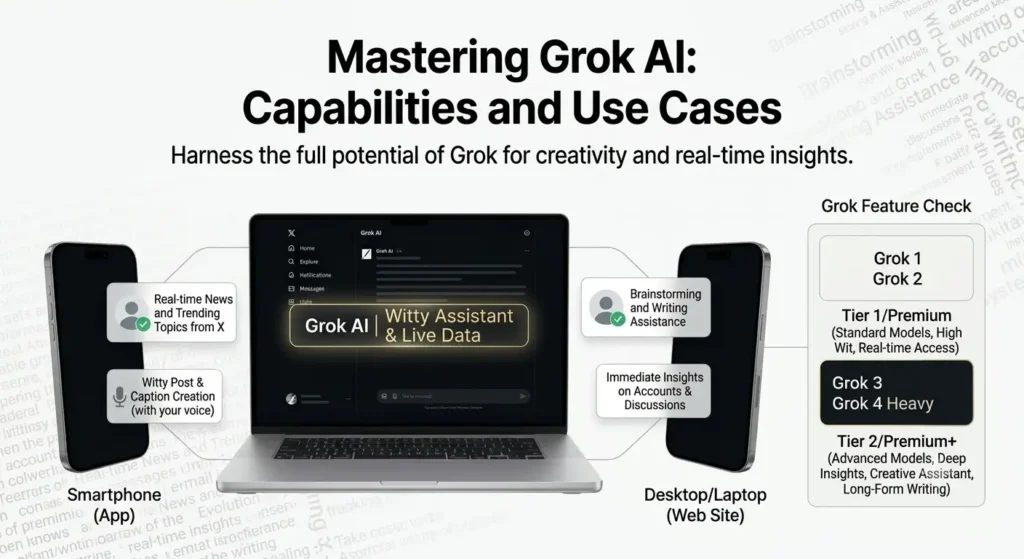
| Access to Grok models | Included (Grok access with standard rate limits) | Full priority access to flagship models & DeepSearch | SuperGrok provides higher rate limits and early access to ultra-scale reasoning models without needing X platform perks. |
| Platform perks (ad-free, checkmark, long posts) | Yes — Full ad-free feed, checkmark, creator payouts & boosted visibility | No (Focuses exclusively on AI capabilities) | X Premium+ is designed for content creators and social power users on X. |
| Stand-alone App & Web Interface | Accessible via X web & mobile app | Dedicated web portal & mobile apps (iOS/Android) | SuperGrok users can access the AI directly through dedicated interfaces outside of the X feed. |
| Pricing | $40 / month (or $350 / year) | $30 / month (or $300 / year) | SuperGrok is $10/month cheaper for users who only want high-tier AI features without social platform perks. |
| Advanced AI Features (Agentic / Video / Voice) | Standard Grok chat, vision, and image generation | Unlimited image generation, high-tier voice mode, Imagine Video, and Grok Build tools | Heavy technical power users, developers, and researchers benefit more from SuperGrok's expanded toolset. |
| Best for | Social media creators, active posters, and everyday X users | AI researchers, developers, and power users needing dedicated AI workflows | Choose Premium+ for X platform growth; choose SuperGrok for intensive AI tasks. |
How does Grok AI work?
Let’s break down exactly how Grok AI functions under the hood, from its architecture to how it interacts with users in real time.
1. Deep Reasoning & Frontier Foundation
Grok AI is powered by xAI's flagship Grok 4 architecture. It uses advanced reinforcement learning and test-time compute ("Think" mode) to break down complex logic, code, math, and graduate-level problem-solving step by step.
2. Real-Time Web & X Live Feed Search
Instead of relying on static cutoff training data, Grok runs real-time searches across both the open web and the live X (Twitter) stream. Its DeepSearch engine cross-references primary sources instantly for breaking news, live data, and current trends.
3. Parallel Multi-Agent Workflows
When tackling massive requests, Grok splits complex prompts across multiple cooperating sub-agents simultaneously. Each sub-agent processes different parts of the task—verifying data and analyzing sub-problems—before returning a single unified answer.
4. Multimodal Generation (Voice, Vision & Video)
Grok natively handles sub-second voice conversations, processes visual inputs (PDFs, images, code screenshots), and powers the Grok Imagine engine to generate ultra-realistic images and native 1080p high-frame-rate videos within the chat.
5. Autonomous Execution via Grok Bot
Beyond standard chat, Grok assigns background tasks to Grok Bot. These persistent AI agents run on dedicated cloud environments to log into tools, run automated scripts, reproduce bugs, and manage long-running workflows while your device is off.
6. Grok Build & MCP Tool Protocol
Grok connects directly to external IDEs, local development software, and third-party SaaS apps via the Model Context Protocol (MCP). Features like Grok Build can design, program, test, and deploy full applications straight from natural instructions.
7. Enterprise & Native Productivity Layer
Grok operates inside daily workplace software (like Microsoft 365 and Google Workspace) to compose documents, analyze spreadsheets, organize data, and summarize incoming emails without leaving your primary workspace.
8. Scaled Supercomputing Infrastructure
Training and inference run directly on xAI's Colossus supercluster (comprising hundreds of thousands of interconnected GPUs), allowing Grok to handle millions of real-time queries globally with sub-second response speeds.
What is Grok AI Used For ?
Below is a breakdown of what Grok AI is primarily used for
1. DeepSearch & Real-Time Insights
Grok AI links directly to X and the open web, deploying DeepSearch reasoning to aggregate primary sources and live social chatter faster than standard web models.
- Scan real-time posts, breaking news, and industry sentiment
- Synthesize complex live events into verifiable summaries
- Track market signals and audience engagement as events unfold
Example: "DeepSearch what tech leaders are saying about energy grids right now."
2. Always-On Autonomous Agents (Grok Bot)
Assign background tasks to persistent Grok Bot cloud instances that keep executing complex workflows even when your device is closed.
- Assign dedicated cloud environments to manage multi-step jobs
- Log into external web applications to retrieve and organize data
- Schedule automated triggers across Slack, Teams, and email
Example: Run overnight web-scraping and data compilation automatically.
3. Application & Code Building (Grok Build)
Grok Build turns natural-language requirements into functional software, generating, testing, and deploying full applications directly.
- Generate clean codebases, frontend UI components, and backend APIs
- Debug multi-file software projects and refactor legacy code
- Deploy interactive web prototypes straight from prompt requests
Use Case: "Grok Build a web dashboard tracking daily social media engagement."
4. Multimodal Generation (Imagine Video & Image)
Equipped with native visual capabilities, Grok processes complex diagrams and creates studio-quality media directly in conversation.
- Generate high-definition images using custom stylistic prompts
- Produce native 1080p video clips via Grok Imagine Video
- Analyze flowcharts, architecture diagrams, and wireframes
5. Parallel Multi-Agent Problem Solving
For complex logic and analytics, Grok delegates sub-tasks across a team of specialized sub-agents working in parallel.
- Split large mathematical, legal, or financial analyses into parallel streams
- Cross-verify answers through automated internal debate modes
- Reduce processing time on massive contextual datasets
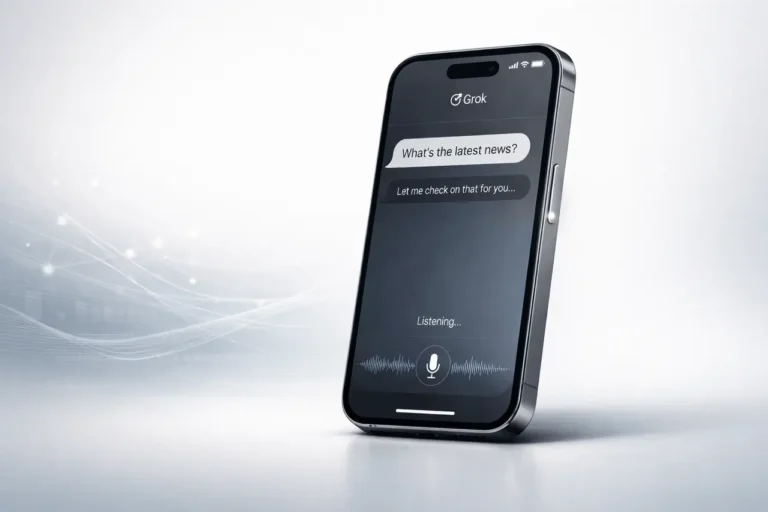
6. Real-Time Sub-Second Voice Interaction
Grok features natural, low-latency Voice Mode for conversational, hands-free reasoning and real-time audio interaction.
- Engage in natural, fluid oral brainstorming sessions
- Receive hands-free dictation, translation, and summary audio
- Access Voice Think Mode in connected environments like Tesla software
Example: Talk through product strategies naturally while commuting.
7. Native Workspace & Office Integration
Grok operates directly inside daily productivity suites like Excel, Word, PowerPoint, and Outlook to execute tasks natively.
- Draft and edit professional emails, memos, and reports
- Clean, structure, and analyze raw dataset spreadsheets automatically
- Summarize massive document stacks and email chains instantly
8. Enterprise API & MCP Tool Controls
Using the Model Context Protocol (MCP), Grok links directly with developer IDEs, databases, and enterprise software systems.
- Trigger external API calls and manage database operations
- Connect natively with IDEs like Cursor and VS Code
- Automate secure, enterprise-grade business operations
9. Personality Modes & Adaptability
Grok balances high-level intelligence with customizable tone settings, switching effortlessly between strict work and humorous interaction.
- Toggle "Fun Mode" for witty, humorous, and unfiltered output
- Switch to "Regular Mode" for professional enterprise briefings
- Adapt output styles dynamically to match user preference
This flexible design makes Grok feel like an adaptable digital partner.
Grok AI Alternatives or Competitors
This table clearly shows the difference between Grok AI and its primary rivals (ChatGPT, Gemini, Copilot, Claude, and other specialist tools), which is perfect for SEO and precise reading.
| Tool | Developer | Core Focus / USP | Key Strengths |
|---|---|---|---|
| Grok AI | xAI | Real-time X integration, DeepSearch reasoning, and autonomous cloud agents | Live social web analysis, persistent background execution, app creation via Grok Build |
| ChatGPT | OpenAI | Frontier intelligence featuring unified reasoning and deep multi-step research | Advanced agentic workflows, long-form logic, comprehensive coding, and custom GPT environments |
| Gemini | Google DeepMind | Multimodal reasoning with ultra-large context and native Google Ecosystem integration | 2M+ context window, native Workspace automation (Docs, Drive, Gmail), native video and audio understanding |
| Microsoft Copilot | Microsoft | Enterprise productivity deeply embedded across Windows and Microsoft 365 | Automates complex Excel formulas, Word drafting, PowerPoint creation, and Teams synthesis |
| Claude | Anthropic | Advanced agentic execution, computer use, and long-context technical reasoning | Industry-leading code refactoring, complex document analysis, and safe multi-step software building |
| Jasper | Jasper AI | Enterprise marketing platform tailored for brand-aligned omni-channel campaigns | Generates structured SEO content, brand-consistent marketing copy, and multi-channel campaign workflows |
| Perplexity AI | Perplexity AI | Conversational search engine delivering cited, real-time research synthesis | Provides inline web citations, deep research reports, structured summaries, and verifiable data retrieval |
Grok AI Free vs Pro Version
Grok AI is available across free and paid tiers to suit different user needs. Free users on X and grok.com can access a lightweight version supported by a daily usage pool (approximately 20–50 requests per day), making it ideal for casual use or exploring core features. Paid options include standalone “SuperGrok” subscriptions ($30/month) as well as X Premium/Premium+ bundles ($8–$40/month), offering significantly higher usage limits, faster response times, image generation, and access to flagship models like Grok 4.6.
Why is Grok AI so Good?
Grok AI remains unique in its ability to blend real-time intelligence, speed, and a signature wit into one experience. Beyond its origins as a tightly integrated X (formerly Twitter) feature, it has expanded across web and mobile platforms to deliver live data, multi-agent reasoning, full multimodal capabilities, and sub-second voice interactions. Its conversational tone makes interactions feel natural and engaging, while its advanced reasoning and productivity tools simplify complex workflows through a distinct mix of humor and high utility.
Grok AI User Reviews
See What People are saying about Grok AI
“Grok’s DeepSearch has completely elevated our market research. Being able to run deep logical reasoning alongside live X trend feeds gives us insights standard static LLMs miss.”
Sarah Thompson
Content Strategist at NeoLabs“The real-time X integration and Imagine Video generation make social media management effortless. I can track breaking news and produce visual assets straight from one chat box.”
David Kim
Social Media Lead at Trend Pulse“Grok Build is a game changer for prototyping. I described a web app layout in natural text, and it generated, debugged, and deployed the functional code in under five minutes.”
Priya Deshmukh
Senior Software Engineer at BrightEdge“Grok Bot’s autonomous background agents handle complex tasks effortlessly. I can set long-running workflows to run on dedicated cloud instances without keeping my laptop open.”
Marcus Vance
DevOps & Automation Architect“The real-time voice mode and Tesla software integration are incredibly smooth. I can talk through complex strategy documents hands-free during my morning commute with sub-second latency.”
Elena Rostova
Product Lead at MobilityX“Parallel multi-agent processing speeds up our engineering benchmarks dramatically. Having dedicated sub-agents split up mathematical calculations and cross-verify code is unmatched.”
Alex Rivera
Data Science Director at Quant AIGrok AI Helpful Resources
Here are some helpful tools to help you master, use, and stay up-to-date with Grok AI:
- Official xAI Help & Documentation Portal (
docs.x.ai): Comprehensive setup guides, developer API documentation, and tutorials for utilizing Grok via standalone apps, web platforms (grok.com), and integrated workspaces. - The Official Website and Developer Console of xAI (
x.ai): Official announcements detailing foundation updates, release notes, and future capabilities directly from xAI. - Grok & X Subscription Pages: Clear breakdowns of tiers, feature access, usage allowances, and plan options across free, SuperGrok, and X Premium tiers.
- Official X & xAI Updates: Real-time feature rollouts, announcements, and performance updates shared across official social handles and product pages.
- Community Discussions, Developer Hubs, and Tutorials: User-generated prompt collections, API integration guides, and practical workflows created by developers and professionals using Grok daily.
These guides can aid you in getting started fast, learning about advanced features, and maximizing the use of Grok artificial intelligence in practical instances.
Grok AI Chrome Extensions
At present, xAI has not released an official browser extension for Grok AI, though third-party developers offer extensions that integrate Grok models directly into popular browsers like Chrome. These third-party tools enable users to access quick summaries, chat functions, and coding assistance right within their web pages. However, it is recommended to rely on trusted sources and monitor official xAI channels for native extensions or integrations designed to summarize web content and deliver real-time browser insights.
Frequently Asked Questions (FAQs)
1. What is Grok AI?
Grok AI is an advanced artificial intelligence platform created by xAI (Elon Musk’s AI company). Built for deep reasoning, real-time web retrieval, and high-level execution, it handles complex problem solving, coding, media generation, and workflow automation across both web and mobile environments.
2. What is the process behind how Grok AI operates?
Grok AI runs on xAI's state-of-the-art frontier models. It combines massive context understanding with DeepSearch reasoning to fetch and cross-reference live information from X and the open web, utilizing parallel sub-agent tasking to process complex logic and continuous background execution.
3. Is Grok AI free to use?
Yes, Grok AI offers a free tier accessible via grok.com and the Grok mobile app for general questions and basic searches. For flagship capabilities like DeepSearch, Imagine video/image generation, sub-second voice mode, and higher request pools, users can upgrade to SuperGrok or X Premium subscriptions.
4. What makes Grok AI different from ChatGPT?
While ChatGPT offers powerful general conversational AI, Grok natively integrates real-time X platform data, DeepSearch web synthesis, autonomous background agents (Grok Bot), and prompt-to-app deployment via Grok Build—all paired with customizable personality modes ranging from strict professional output to witty banter.
5. What can I do with Grok AI?
Grok AI can build and deploy applications, generate HD images and 1080p videos, perform multi-step research, execute code debugging across large repositories, analyze complex legal or scientific papers, provide real-time voice translation, and run automated background cloud tasks.
6. Does Grok AI have an app or Chrome extension?
Yes. Grok AI is available as a dedicated standalone app on iOS and Android, on the web at grok.com, and integrated within X. Additionally, third-party Chrome extensions and Model Context Protocol (MCP) plugins allow seamless integration directly into developer IDEs and web browsers.
7. Is Grok AI suitable for business or team use?
Yes. Grok AI offers enterprise-grade API tiers, Model Context Protocol (MCP) integrations, persistent Grok Bot cloud agents for team task execution, and high-rate-limit plans (such as SuperGrok Heavy) tailored for software developers, data analysts, and corporate workflows.
8. How do I access Grok AI?
You can access Grok directly by visiting grok.com or downloading the official Grok app on iOS and Android using a Google, email, or X account. You can also access it directly within the X platform under the dedicated Grok tab or sidebar.